1. Make the agent’s key
In the repository’s guard/examples/demo-agent folder:
node new-key.mjs ~/.svalin/my-agent.jsonIt prints the agent’s public key. Copy that for step 3. The file keeps the private key and never leaves the agent’s computer.
2. Connect your wallet
Open the vault page and connect your wallet. That wallet owns the vault. Choose Create a vault.
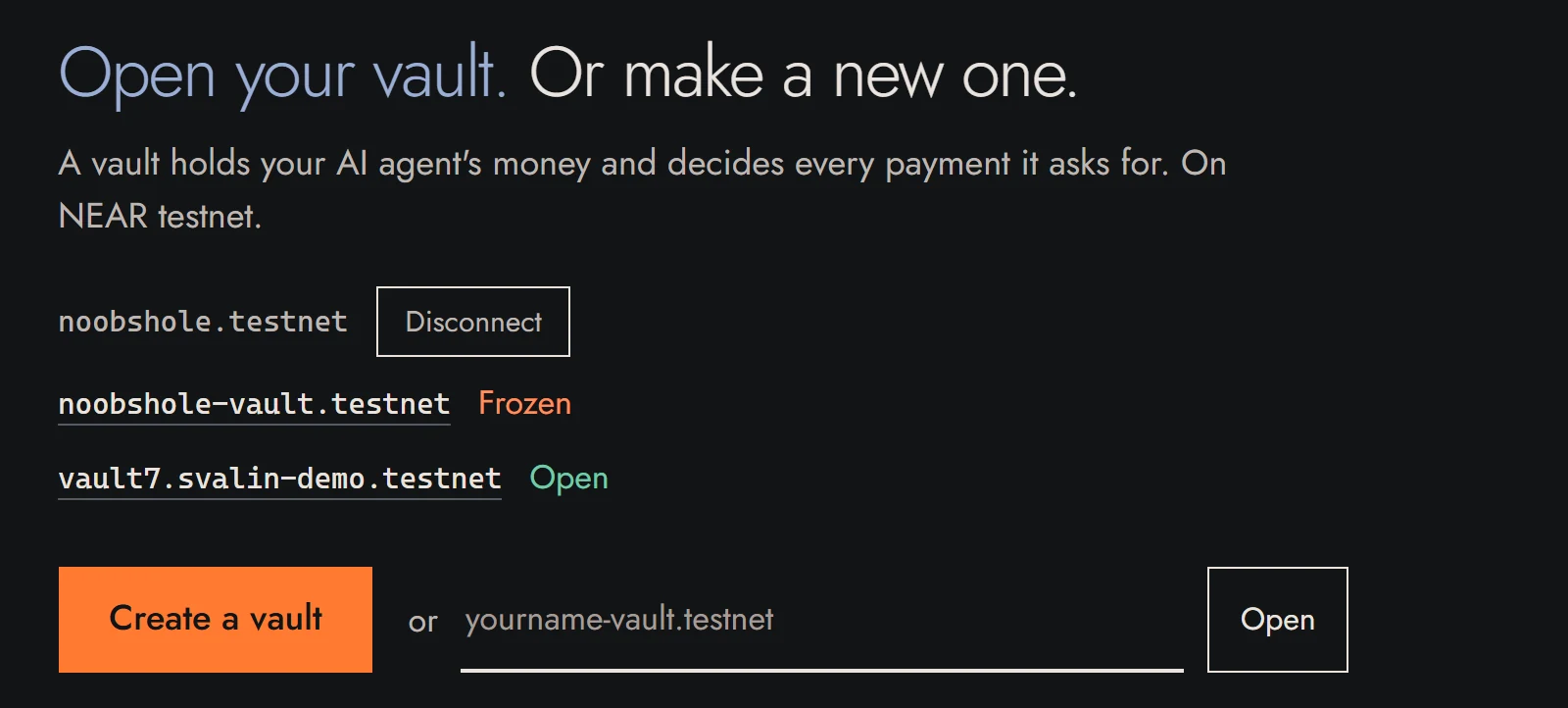
3. Set the rules
Name the vault, set three limits, and paste the agent’s public key. A guardian is optional.
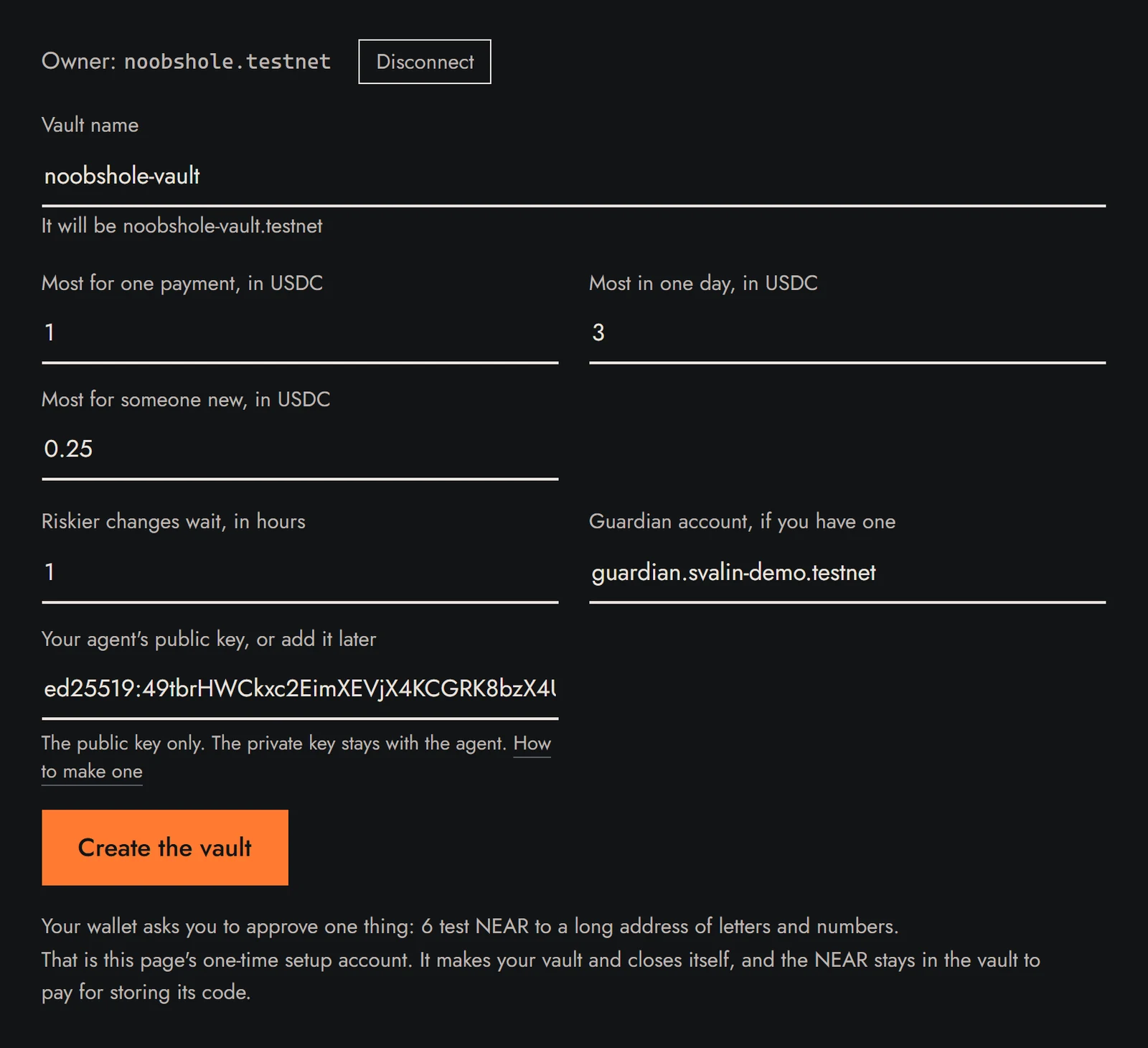
4. Approve once
Choose Create the vault and approve 6 test NEAR in your wallet. The page builds the vault in under a minute.
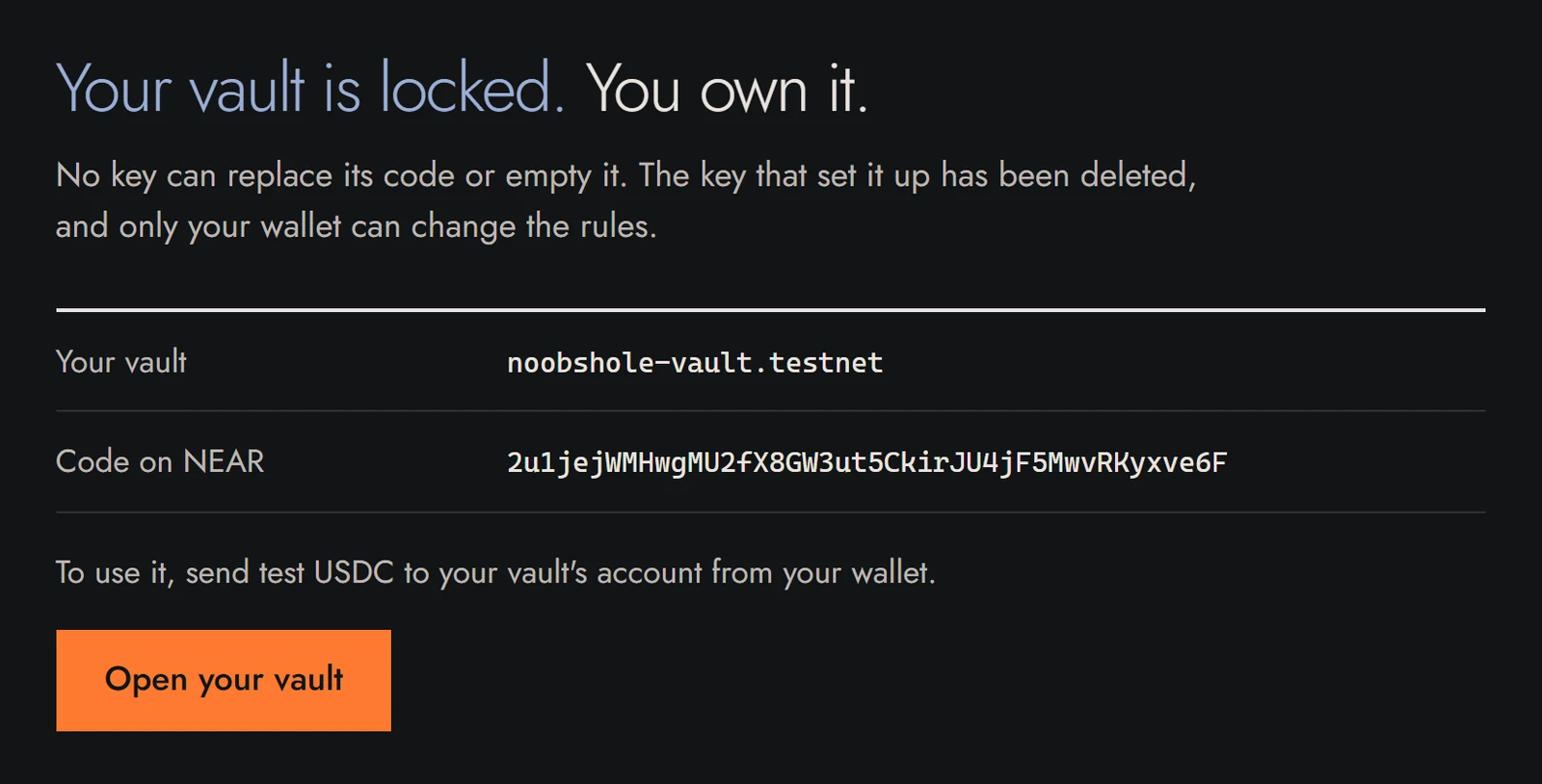
5. Put money in
Send test USDC to the vault’s name, from Circle’s faucet or your wallet. The agent’s key needs no money.
6. Connect your agent
Your agent needs the key file from step 1 and the vault’s name. When it wants to pay, it asks the vault. Saved as pay.mjs in the same folder:
import { homedir } from "node:os";
import { call, loadKey } from "./near.mjs";

const vault = "yourname-vault.testnet";
const key = loadKey(`${homedir()}/.svalin/my-agent.json`, vault);

// Ask the vault to pay 0.25 USDC (6 decimals, so 250000).
const tx = await call(key, vault, "request_payment", {
  payee: "seller-account.testnet",
  amount: "250000",
  memo: "one weather report",
});
console.log("https://testnet.nearblocks.io/txns/" + tx);
The vault pays, holds the payment for you, or refuses it, by your rules. The agent’s key can only ask, so a tricked agent cannot empty the vault.
Any agent can make this call: one on Claude, GPT, Grok or Hermes, an agent framework, or a coding assistant such as Claude Code or Codex. agent.mjs shows the same call answering a seller’s 402 price, and paying on Solana.
7. Watch and decide
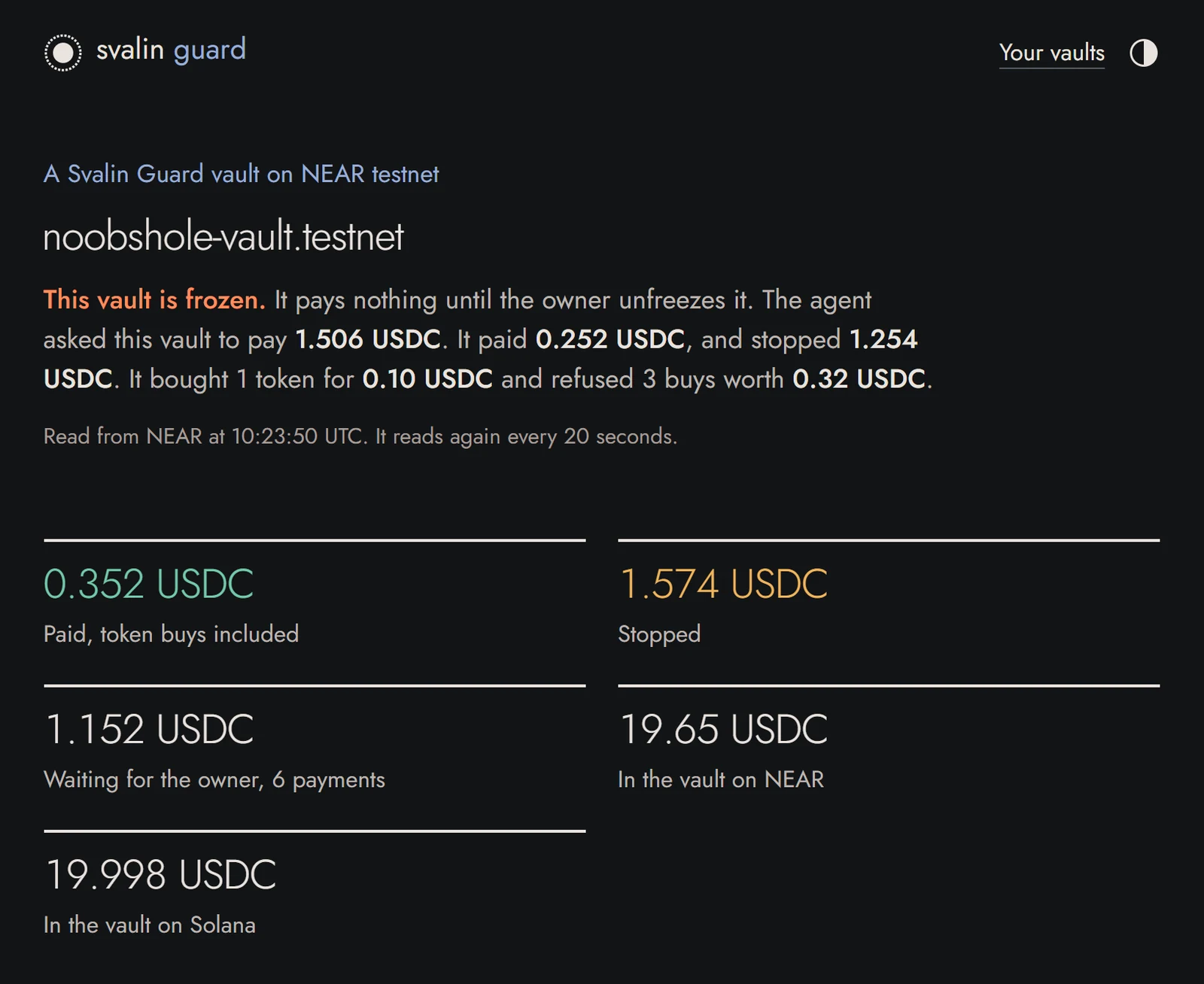
Held payments wait for you. Connect your wallet on the vault’s page to approve or reject each one.